- Claude is the stronger tool for coding. It hits 95% functional accuracy vs ChatGPT's 85%, and 70% of developers prefer it for coding tasks. Claude Code is the dominant tool for agentic and vibe coding.
- ChatGPT has real advantages: built-in image generation (DALL-E 3), Advanced Voice Mode, a larger plugin ecosystem, and Microsoft 365 Copilot integration. Claude has none of these.
- DALL-E 3 is not the best image generator. Midjourney v7 leads on artistry, Flux leads on photorealism. DALL-E 3 wins on convenience, not quality.
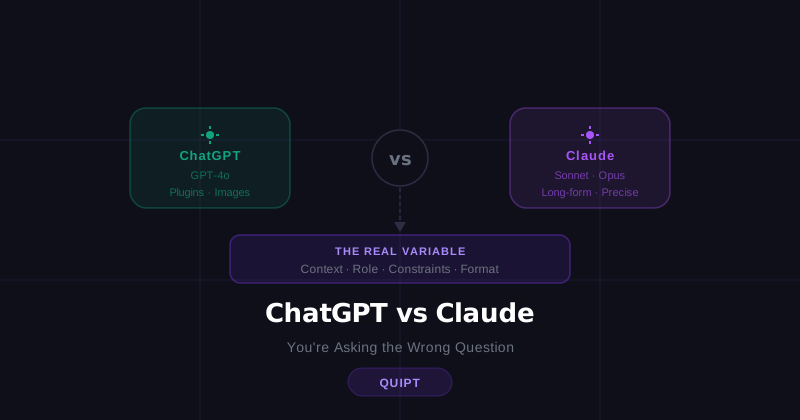
- But the tool you pick matters far less than most people think. A vague prompt returns mediocre output in both.
- If you switched tools and your output didn't improve, you didn't change the variable that matters. The prompt is the variable. The tool is the receiver.
People have a strong opinion about ChatGPT vs Claude. They've switched, compared, and argued about it online at length. Most of that debate misses the point.
Both tools are genuinely capable. Both will return bad output if you give them bad input. And if you've switched from one to the other and found yourself rewriting the output anyway, the tool was never the problem.
That said, the differences between them are real. Here's what they actually are, based on benchmarks and developer surveys from early 2026. And here's why they matter less than what you're putting into the prompt.
ChatGPT vs Claude: What's Actually Different
Claude is better at coding and writing. ChatGPT has more built-in features. That's the short version. Here's what it looks like in practice.
According to Tom's Guide's 2026 benchmark testing, Claude reaches 95% functional accuracy on coding tasks versus ChatGPT's approximately 85%. On GPQA Diamond (PhD-level reasoning), Claude scores 91.3%, the widest margin between the two models in any benchmark category. On writing tasks, Claude consistently requires fewer follow-up prompts to match tone, audience, and intent.
ChatGPT's advantages are mostly on the features side: it has DALL-E 3 built in for image generation (Claude cannot generate images at all), Advanced Voice Mode for real-time spoken conversation, and a plugin ecosystem with thousands of custom GPTs. The Microsoft 365 Copilot integration brings ChatGPT directly into Word, Excel, and Outlook, which matters a lot for enterprise users.
| ChatGPT | Claude | |
|---|---|---|
| Coding | Decent, ~85% functional accuracy | Stronger, ~95% functional accuracy |
| Agentic / vibe coding | Codex (cloud sandbox) | Claude Code (dominant developer tool) |
| Writing quality | Good | Widely rated superior, nails tone faster |
| Instruction following | Inconsistent on tight constraints | More reliable on precise instructions |
| Reasoning | Strong | 91.3% on GPQA Diamond (widest gap) |
| Context window | 128K tokens standard | 200K tokens standard |
| Image generation | Yes, DALL-E 3 built in | None |
| Voice mode | Advanced Voice Mode | None |
| Plugin ecosystem | GPT Store, thousands of custom GPTs | Limited |
| Web browsing | Seamlessly integrated | Available, less native |
| Microsoft 365 | Full Copilot integration | None |
One thing worth clarifying on image generation: DALL-E 3 is the only image generator built directly into a major AI chat interface, which makes it genuinely convenient. But it is not the best. 2026 comparisons consistently rank Midjourney v7 ahead on artistic quality and Flux 1.1 Pro ahead on photorealism. DALL-E 3's real advantage is that you don't have to leave the chat. The output quality itself has been surpassed.
Which One Should You Actually Use?
Use Claude if you are coding, writing anything that needs a specific tone, or doing any kind of agentic task. Use ChatGPT if you need image generation without leaving your chat, want voice mode, or are embedded in the Microsoft ecosystem. For general tasks like drafting emails or summarizing documents, either works well.
The 70% developer preference for Claude on coding tasks is the clearest signal we have. For everything else, the gap closes fast, and the more important variable is not which tool you picked but what you gave it to work with.
The comparison most people run is not really ChatGPT vs Claude. It is vague prompt in ChatGPT versus vague prompt in Claude. Neither wins that one.
Why Didn't Switching Tools Fix Your Output?
Because switching tools doesn't change your prompts. If the output was flat and generic in ChatGPT, it will be flat and generic in Claude too, for the same reason: the prompt didn't give the AI enough to work with.
Switching tools feels like action. You read something, you tried something different, you did something. But the variable that was broken is still broken.
Here's the same request in both tools with no structure:
Prompt: "Write me a LinkedIn post about my new job."
Output: "Excited to announce I'm starting a new role as..." Generic. You've seen it a hundred times.
Prompt: "Write me a LinkedIn post about my new job."
Output: Slightly different phrasing. Same generic tone. Still sounds like every other announcement.
Different tool, same result. Because the problem was never the tool.
What Actually Determines Output Quality?
Four things: context, role, constraints, and format. Every prompt that returns bad output is missing at least one of them. Research on model performance consistently shows that output improves significantly when prompts include clear task framing and explicit constraints. This applies equally to both tools.
Context. Who are you, what's the situation, what's already happened. AI doesn't know your job title, your industry, your audience, or your goal unless you say so. Without it, the output is built on assumptions, and those assumptions are always average.
Role. What do you need the AI to be right now? A direct editor? A senior recruiter reviewing your resume? A copywriter who writes the way you talk? Framing the role changes the output more than most people expect.
Constraints. What do you not want? No bullet points. No corporate tone. Under 150 words. Don't start with "I." These constraints matter as much as the brief itself. They are the difference between output you can use and output you have to rewrite.
Format. How do you want the result structured? A rough draft? Three options? One polished version ready to paste? If you don't specify, you get whatever the AI decides, which is usually not what you needed.
Here's the same LinkedIn post request, this time with structure:
Structured Prompt
I'm starting a new role as Senior Designer at a SaaS startup next week. I've spent the last four years at an agency working mostly on B2B brands. I want to post something on LinkedIn that feels real, not like a corporate announcement. My tone is direct and dry. I don't use buzzwords or say things like "excited to share" or "thrilled to announce." Keep it under 100 words. One short paragraph, no bullet points, no hashtags.
Run that in ChatGPT. Run it in Claude. Both return something that actually sounds like a person wrote it. The tool didn't change. The input did.
The prompt is the product
A structured prompt will outperform a lazy one every time, on any tool, including whatever ships next year. This is why developers using AI for job searching or AI for marketing get usable output on the first try while others are still rewriting. The system is the difference, not the subscription.
Most people treat AI like a search engine. Short question, short answer, move on. That works for basic lookups. It doesn't work when you need something that sounds like you, fits your specific situation, and is ready to use without three rounds of editing.
The output you get is a direct reflection of the input you gave. Give AI a rough sketch and it gives you a rough sketch back. Give it context, role, constraints, and format, and it gives you something worth using. That is true in resume writing, in productivity prompts, and in every other use case we've covered on this blog.
This is the logic behind Quipt systems. Not which tool you use. The prompts themselves, pre-loaded with the context, structure, and constraints that return usable output on the first pass.
Stop rewriting AI output from scratch
Quipt systems are built around prompts that work: structured, tested, and ready to copy across any AI tool you already use.
Browse the systems →The honest answer to ChatGPT vs Claude: pick the one that fits what you're doing. Claude for coding and writing. ChatGPT for image generation, voice, and integrations. For everything else, use whichever you already have open.
But if you're still getting output that sounds generic, doesn't sound like you, or needs a full rewrite before it's usable, you haven't changed the right thing yet.
Frequently asked questions
Yes. Claude consistently outperforms ChatGPT on coding benchmarks, hitting 95% functional accuracy versus ChatGPT's approximately 85%, and 70% of developers prefer Claude for coding tasks. For agentic and vibe coding specifically, Claude Code is the dominant professional tool. It reads entire codebases, edits files, runs commands, and manages git across multiple files with fewer errors than competing tools.
Claude cannot generate images at all. ChatGPT has DALL-E 3 built in, which makes it the default choice if you need images inside a chat interface. That said, DALL-E 3 is no longer the quality leader. Midjourney v7 leads on artistic quality, Flux 1.1 Pro leads on photorealism, and Ideogram V3 leads on text-in-image. DALL-E 3's real advantage is convenience, not quality.
Both offer free tiers with usage limits. ChatGPT Free gives you access to GPT-4o mini with limited GPT-4o usage. Claude Free gives you daily message access to Claude. Both paid plans (ChatGPT Plus and Claude Pro) cost around $20 per month and remove most limits.
Because AI only knows what you tell it. Without context about who you are, what tone you write in, and what constraints to follow, it defaults to a safe, average version of whatever you asked for. Generic input produces generic output. The fix is a better prompt, not a different tool.
Less than you think. A well-structured prompt with context, role, constraints, and format will return something usable in ChatGPT, Claude, or anything else that ships next year. The prompt is the variable. The tool is the receiver.